

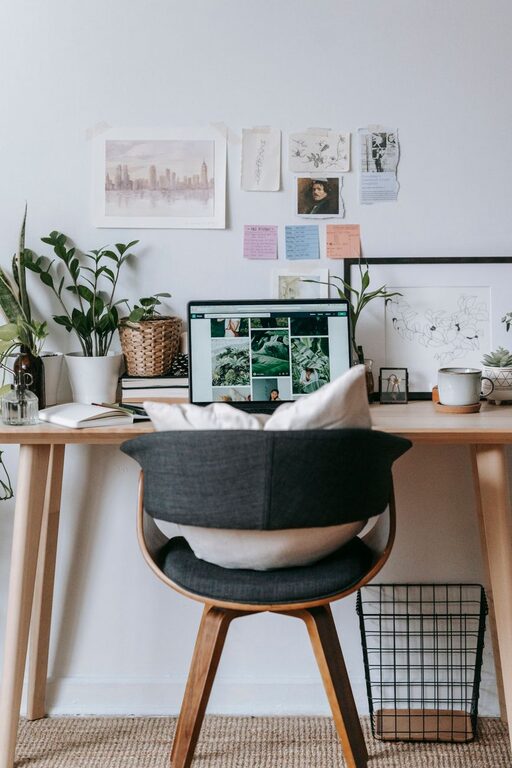
Creating a home office that is both cozy and functional can transform your work-from-home experience. A well-designed workspace helps you stay focused, comfortable, and motivated throughout the day. Whether you have a dedicated room or just a corner of your home, a few thoughtful touches can make a big difference. This guide shares practical tips to help you design a home office that balances comfort with efficiency.
Choose the Right Location
The first step in creating a home office is selecting the ideal spot. If possible, find a quiet area away from high-traffic zones in your home. Natural light is a huge plus, so pick a space near windows to boost mood and reduce eye strain. If privacy is a priority, consider a room with a door to minimize distractions.
Consider Your Needs
Think about how you use your office. Do you need space for multiple monitors, storage, or video calls? Planning for your specific tasks will help you pick a location that suits your workflow.
Invest in Comfortable and Supportive Furniture
Comfort is key when working long hours, so choose furniture that supports good posture and reduces fatigue.
Desk
Opt for a desk with enough surface area to hold your computer, writing materials, and accessories without feeling cluttered. Adjustable desks that allow switching between sitting and standing are great for health and comfort.
Chair
Select an ergonomic chair that provides lumbar support and adjustable features like height and armrests. A comfortable chair helps prevent back and neck pain.
Organize with Purpose
A clutter-free workspace improves focus and makes your home office feel more inviting.
Use Storage Solutions
Shelves, drawers, and filing cabinets keep supplies and documents organized and within easy reach. Choose storage that blends well with your office décor to maintain a tidy appearance.
Cable Management
Tidy cords with clips, trays, or sleeves to prevent tangling and hazards. Keeping cables organized contributes to a clean and orderly workspace.
Add Personal Touches for Warmth
A cozy office reflects your personality and makes working more enjoyable.
Decor and Colors
Incorporate colors that inspire and calm you. Soft neutrals, gentle blues, or greens create a peaceful atmosphere. Add artwork, plants, or decorative items that make the space feel welcoming.
Lighting
Even with natural light, use layered lighting such as desk lamps and overhead fixtures to reduce eye strain. Warm-toned bulbs add coziness to your office.
Enhance Productivity with Functional Accessories
The right accessories can boost efficiency and keep you motivated.
Technology
Invest in quality equipment like a reliable computer, a fast internet connection, and peripherals such as a mouse and keyboard that suit your preferences.
Tools and Supplies
Keep essential tools like notepads, pens, and calendars near your workspace. Use organizers to keep them accessible but neat.
Maintain a Healthy Work Environment
Taking care of your physical and mental well-being is important when working from home.
Take Breaks
Set reminders to stand, stretch, or walk every hour to avoid stiffness and eye strain.
Air Quality
Improve air quality by opening windows when possible or adding air-purifying plants.
Final Thoughts
Designing a cozy and functional home office doesn’t have to be complicated or expensive. By choosing the right location, investing in comfortable furniture, organizing effectively, and adding personal touches, you can create a space that supports both productivity and well-being. Remember to adjust your office setup as your needs change and keep it a space you enjoy spending time in. Your home office can become a place where focus and creativity thrive.